
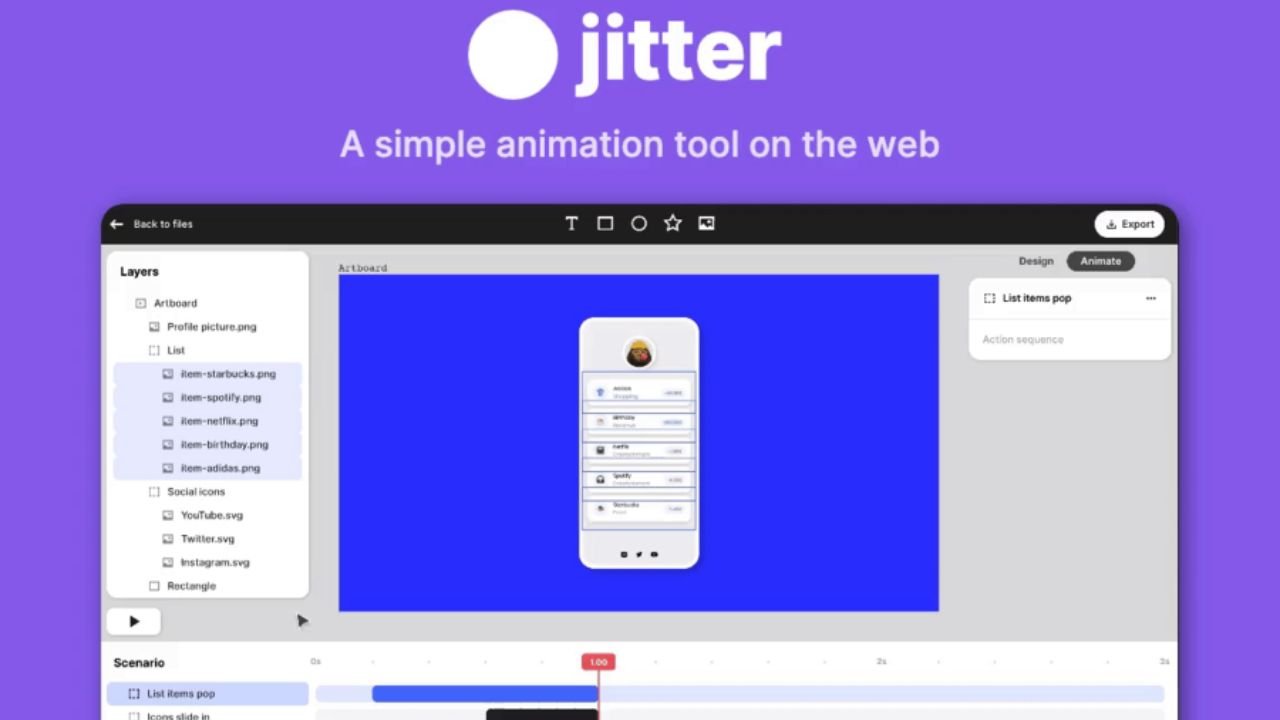
Design today feels incomplete without motion. As soon as users deal with the screen, they expect movement, feedback, and fluid transitions. Due to such a change, designers are currently seeking the tools that can help with the process of animation being easy but efficient, and that is where Jitter Video can be included in the workflow. Most creators in the past would have to depend on bulky software that was time-consuming and required technical expertise. In contrast, the contemporary tools are based on speed, clarity and accessibility. In this article, you will understand how motion design tools are evolving and transforming, how they are applied in actual projects, and why this process enhances the user experience. Moreover, the information describes features, community contribution, and actual case studies, so the ideas remain practical and easy to follow.
What is Jitter Video?
Jitter video is a recent web-based motion design tool that allows designers to design smooth motion without any technical complexities. Thus, it is accessible via browser; you do not have to install bulky software or grasp complicated schedules. Many designers now use Jitter video due to its simplicity of interface, in cases where they need to do quick animations.
Moreover, it prioritizes visual creativity, rather than technical obstacles. You are also able to import designs, add motion effects, and export animations within a few steps. Jitter video can therefore be effectively utilized by amateurs and professionals. Thus, it turned out to be one of the hottest discussed devices in UI and motion design in 2026.
Key Features That Make Jitter Video Practical for Designers
The only tool that comes in handy is one with features that address actual issues. Here, a premium is placed on simplicity and usability. It does not overload with too many complex features but offers the fundamental features that enhance workflow. These capabilities enable designers to develop animations in less time and still be flexible. Moreover, they facilitate various applications such as the design of user interfaces, marketing graphics and presentations. This is why the tool can be easily integrated into numerous creative projects.
1. Animation Presets That Improve Speed and Consistency
Animation presets remove the need to build motion from scratch. Designers are able to use built-in effects with a single mouse click. Due to this, they will save time and regulate patterns of design.
In the case of animating text or buttons, a good starting point can be found. Speed, delay and style can then be modified by designers accordingly. The end result is a polished animation without the need to put in additional effort.
| Approach | Time Required | Output Quality |
| Manual Animation | High | Depends on skill |
| Preset Animation | Low | Consistent |
This feature becomes especially helpful when working on multiple screens or tight deadlines.
2. Flexible Export Options for Different Platforms
Modern design work necessitates the exportation of animations in a variety of formats. Websites, apps, and social platforms frequently require content among designers. Thus, flexibility emerges as a very important need.
This tool can be used to export GIFs, videos, and Lotties. The tool is flexible, with each format having a different purpose. An example is that GIFs can be shared faster, whereas Lottie files can be used to enhance the performance of websites.
| Format | Best Use Case | Key Benefit |
| GIF | Social content | Easy to share |
| MP4 Video | Marketing visuals | High quality |
| Lottie | Web and app animation | Lightweight loading |
Because of these options, designers can reuse the same animation across multiple platforms without extra work.
3. Smooth Workflow with Figma Integration
Figma Snap can be a critical aspect of contemporary workflows. Their layouts can be imported directly by the designers, so no longer do they have to recreate designs. This consequently makes the process easier and more precise.
Moreover, this integration facilitates teamwork. Design and animation can be done simultaneously. Thus, the timelines of projects become shorter and more efficient. In addition to this, doodlers are free to experiment without fear of loss of original layouts.
Community Influence on Jitter Video Growth
The success of creative tools is often influenced by a strong community. In this scenario, templates, ideas, and animation methods are exchanged among designers. This culture of sharing assists beginners in learning fast and enhancing their abilities. Besides, community-driven templates enable users to initiate projects expeditiously. Such a style can be investigated and implemented by designers. Consequently, creativity and less effort are enhanced. Moreover, the partnership of freelancers and agencies leads to the appearance of new opportunities. Such active engagement creates an ecosystem that is supportive. The tool is therefore still developing within the context of the users and actual needs in the real world.
Product Strategy Behind Jitter Video Success
Long-term growth can be quite dependent on a clear product strategy. This tool is concerned with accessibility, and this is why it will be attractive to many people. It does not focus only on the experts but also accommodates beginners. It was also popular due to recognition. Its visibility was boosted in the design community after winning the Golden Kitty Awards 2023.
This led to an increase in designers who were investigating its potential. The other strategic strength is its strategy of integration. Legislation relates to current tools to smooth out workflows. Thus, it becomes simpler to adopt the new users. In all, the approach is centered around simplicity, speed, and usability.
Real Design Applications Created with Jitter Video
Real-life cases can be used to demonstrate the true worth of motion design. Most agencies are currently employing tools such as jitter video so that they can enhance user experience. These illustrations point out the element of animation to place a sense of clarity and interactivity.
1. Animated Dashboard That Improves User Interaction
A static dashboard can be too disoriented and uninteractive. But with the introduction of motion, the experience becomes different. In a project, the designers have animated the charts and important features of the charts to give directions to the users. Consequently, users perceived data more quickly and engaged with the interface more. In addition, the design was contemporary and touch-sensitive. This is an illustration of how usability can be enhanced by simple animations.
2. Process Explanation Through Animated Visuals
Text alone as a means of explaining workflows can be overwhelming. As such, animated images are a more definite answer. Designers generated a sequential animation to demonstrate the use of a product. There was a smooth transition between each step, and this made the process easy to follow. Moreover, the users took increased time in navigating the content. The level of engagement, therefore, rose tremendously.
3. Showreel Video for Agency Branding
Agencies frequently have to show their work in a pleasing manner. Rather than lifeless slides, animated showreels make more impressions. Motion effects were used by designers to join various visuals of the project. Consequently, the culmination video was professional and intriguing. Besides, production time was low as opposed to traditional processes. This instance underscores the effectiveness of efficiency in achieving quality products.
Designer Perspective on Using Jitter Video
Jitter video tools enhance productivity as far as designing is concerned. They make animation simple and decrease technical barriers. The designers are thus able to concentrate more on creativity rather than installation. Nonetheless, sophisticated tools are still significant. Complex animations can be further controlled with software such as Adobe After Effects. However, not all projects need the level of detail.
In most cases, simple animations work better for UI design. They are quicker to load and are more natural to the users. Consequently, less effort is needed by designers, who get better results. This simplicity and functionality make the tool very convenient.
Conclusion
Motion design has and will continue to influence digital experiences. Designers will continue to find tools making animation easier. This is why jitter video is an excellent solution to use in 2026. It is integrated with user-friendliness, flexibility, and speed within a platform. Thus, designers will be able to produce attractive images without any technical difficulties. In case you are interested in making your workflow more efficient and providing better user experiences, this is a method to consider.
FAQs About Jitter Video
Q1. How does jitter video improve the design workflow?
It reduces complexity and allows designers to create animations quickly and efficiently.
Q2. Why do designers prefer jitter video for UI animation
Because it offers simple controls and fast results without technical effort.
Q3. Can beginners learn jitter video easily
Yes, the interface is user-friendly and suitable for new designers.
Q4. Is jitter video useful for web animations?
Yes, it supports lightweight formats like Lottie for faster website performance.
Q5. Does jitter video replace advanced animation tools
No, it complements tools like Adobe After Effects for simpler tasks.
Explore More Tools: